Features
Open a course
If the current workspace is not a learning course, click Open Course, or run LearnByDiff: Open Course from the Command Palette.
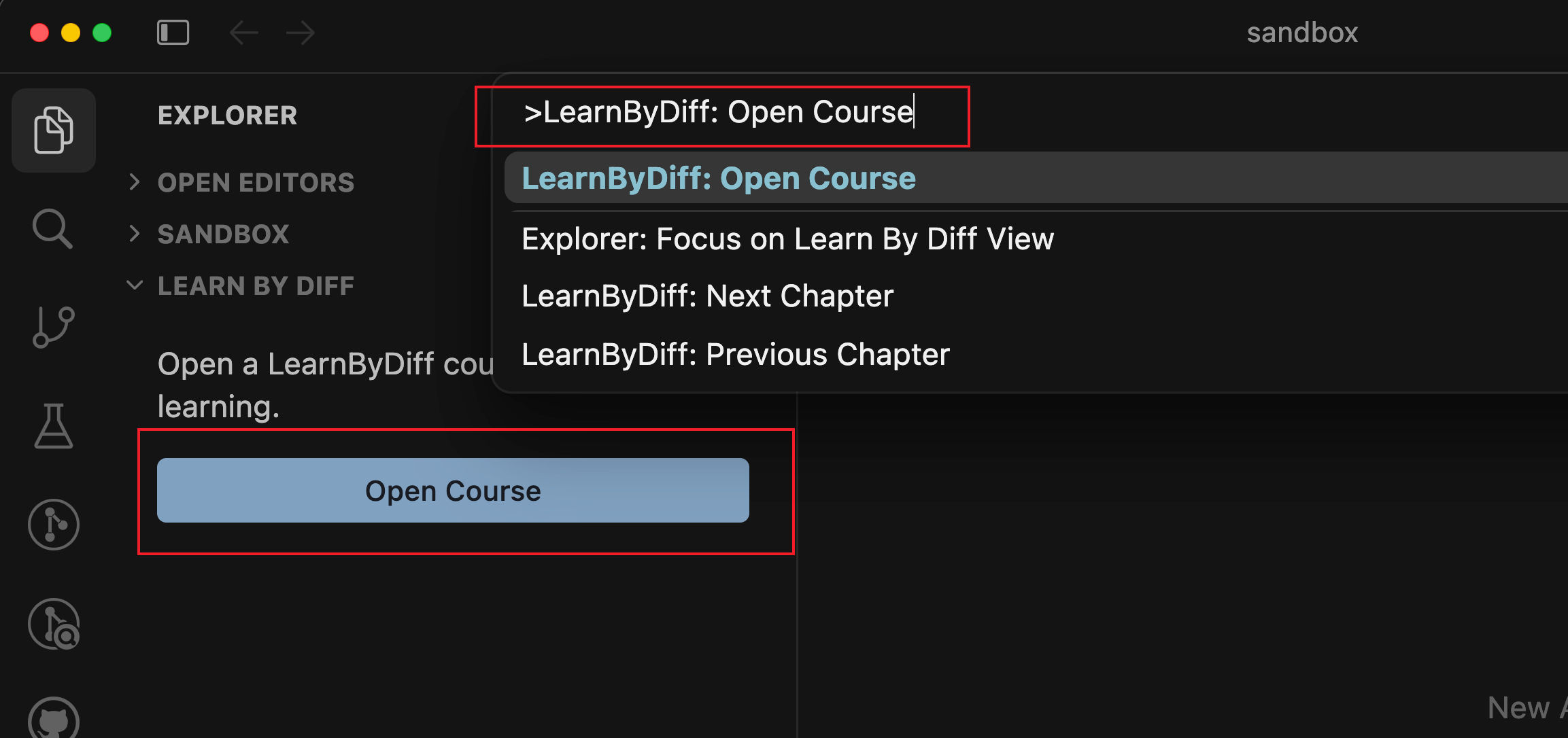
Select an official course, or type a course.jsonc path or URL and confirm.
Switch and inspect chapters
After a course is open, Explorer shows a Learn By Diff view with the chapter list.
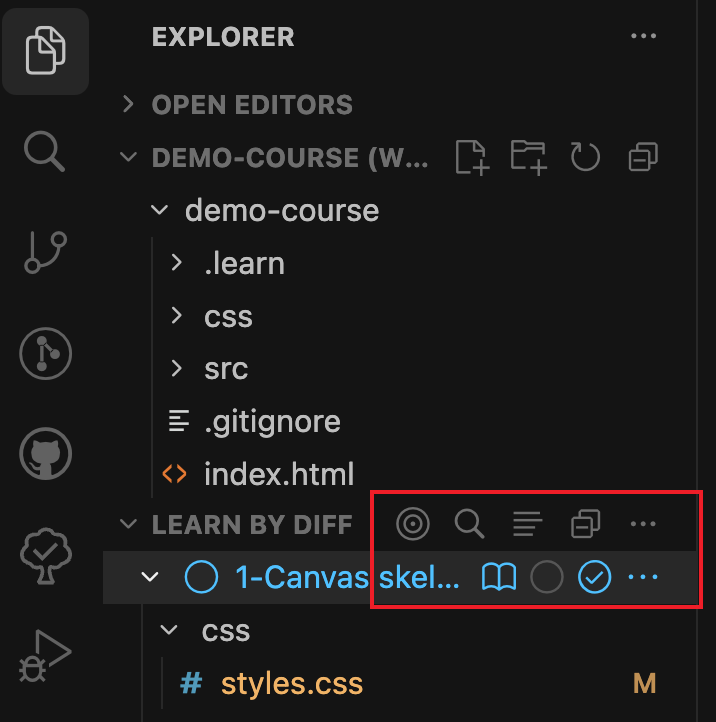
In the Learn By Diff view, you can use these actions:
| Action | What it does |
|---|---|
| Scroll to Current Chapter | Reveal the current chapter |
| Search chapter | Find a chapter by title or id; fuzzy search is supported |
| Open chapter docs | Open this chapter’s documentation |
| Not Started / Completed | Switch the workspace code to that chapter’s start or finish snapshot |
When you switch snapshots, you are asked whether to overwrite the current folder, so accidental overwrites are less likely.
File compare
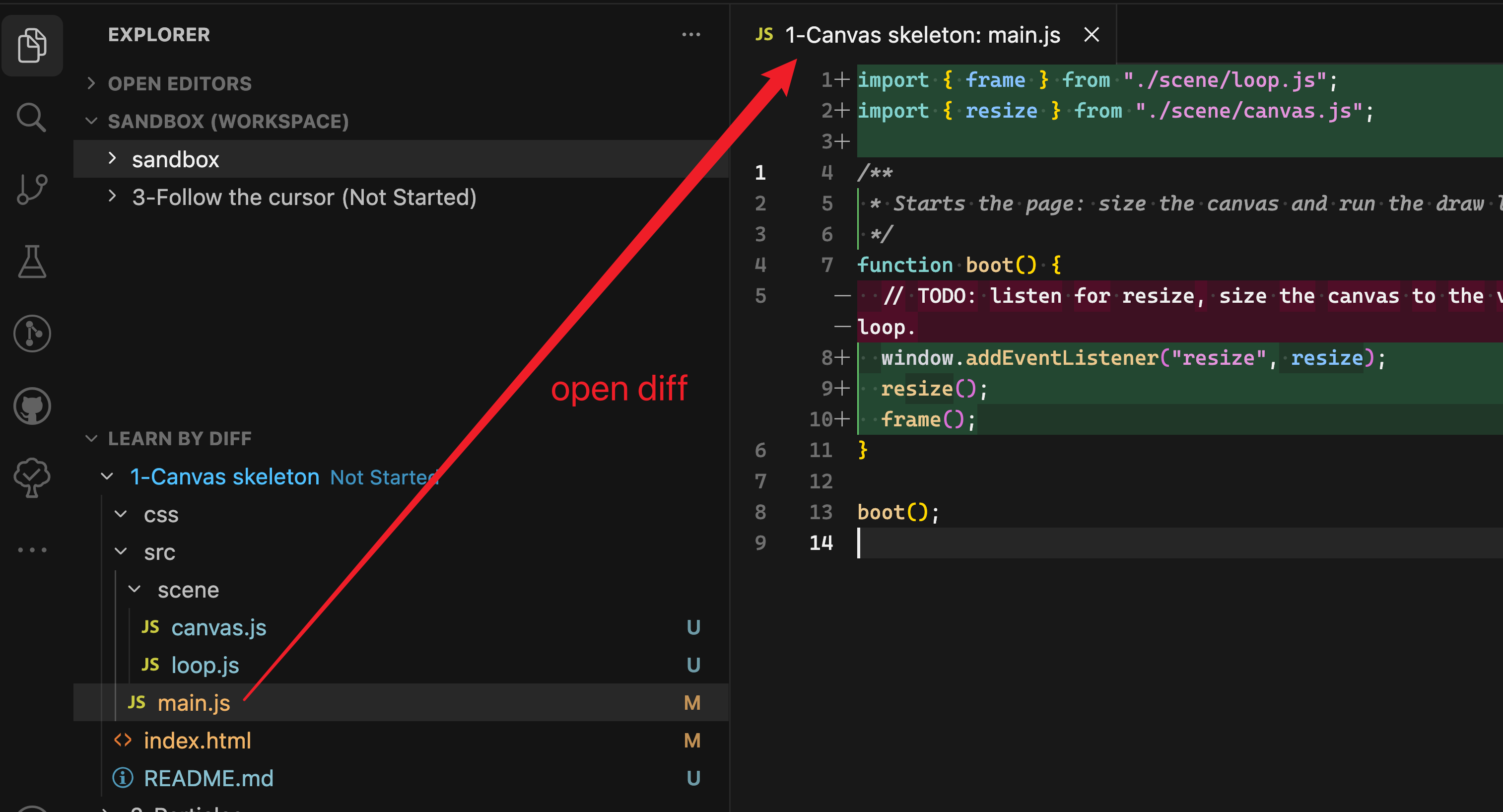
Expand a chapter in the Learn By Diff view to see its change list. Click a file name to open the same kind of diff you get in Source Control.
Chapter compare
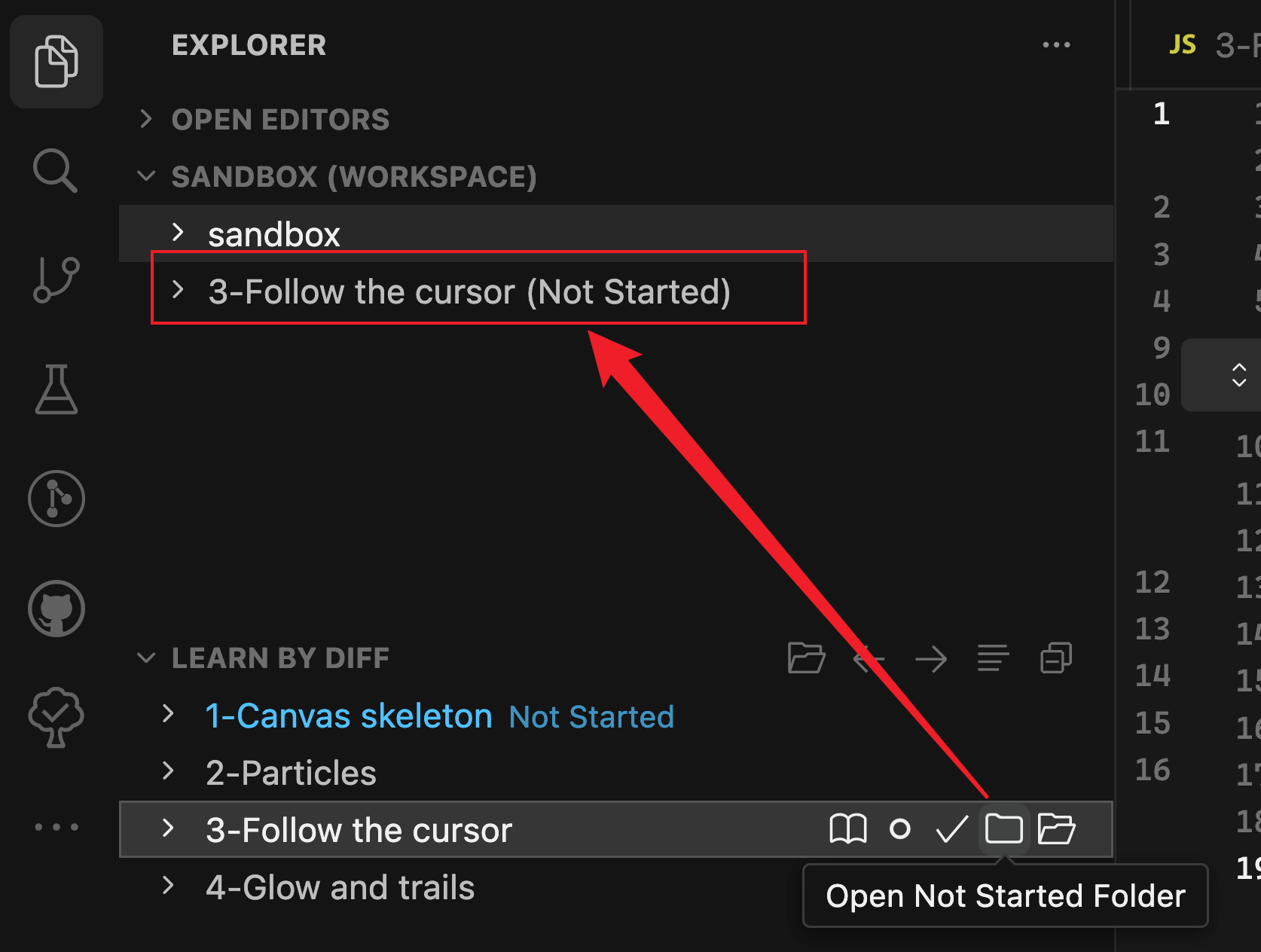
To run different chapter snapshots side by side, click the ... button on the chapter, then Open Not Started folder or Open Completed folder. That snapshot is downloaded and added as its own folder in the workspace.